


 Subvolts take Microsoft 365 Copilot builds Excel pivot tables from prompts, no formulas needed. Jul 23, 2026
 - Business
- You can now analyze data and generate reports in Excel much faster using simple text commands instead of complex formulas.
Users can now generate complex Excel pivot tables using natural language prompts, making data analysis more accessible.
Build a Pivot Table Without a Formula
From Subvolts
Summary and analysis by Subvolts editorial, AI-assisted.
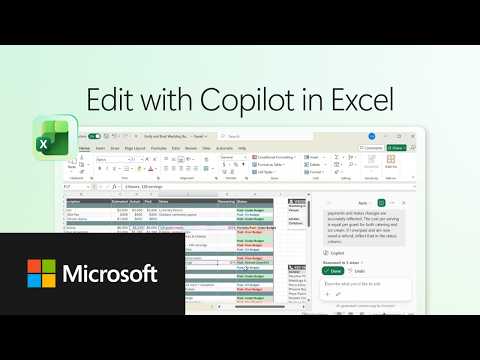
Microsoft 365 Copilot can build Excel pivot tables from simple prompts, eliminating the need for manual setup or formulas. This feature helps users quickly summarize data and find insights within Excel. The video demonstrates how Copilot streamlines data analysis.
Microsoft 365 Copilot can now create Excel pivot tables directly from your typed requests. You no longer need to know complex formulas to summarize your data. This feature makes it easier for anyone to quickly analyze information and find key insights in Excel.
This video highlights how AI assistants like Microsoft 365 Copilot are simplifying complex software functions for everyday users. Instead of learning intricate formulas, users can now leverage natural language to perform sophisticated data analysis in Excel. This shift lowers the barrier to entry for data insights, benefiting business users and analysts. Competitors like Google Gemini and OpenAI's ChatGPT are also integrating AI into productivity suites, suggesting a broader trend towards AI-powered software interfaces.
- Product: Microsoft 365 Copilot
- Application: Excel
- Feature: Pivot table generation via prompts
- Requirement: No formulas or manual setup needed
Microsoft Copilot simplifies Excel pivot tables, a move similar to how Google Gemini and OpenAI's ChatGPT integrate AI into productivity tasks.
- Pivot Table
- A data summarization tool that reorganizes and aggregates data from a larger table to provide insights.
- A way to quickly summarize and organize large amounts of data to see patterns.




The Playbook: reusable how-tos, prompts, configs and tips pulled out of the news. Pulled from this item and others like it.
- PromptGenerate Excel Pivot Table with CopilotPrompt Copilot to create a pivot table from your data, summarizing key insights. · 2 min
- ToolMicrosoft 365 Copilot for Excel Pivot TablesAI assistant that builds Excel pivot tables from simple prompts, no formulas needed. · 5 min
- HeuristicUse chat to describe changes for Copilot in ExcelDescribe desired spreadsheet changes in chat for Copilot to implement directly in Excel. · 5 min
- HeuristicIterate content with chat and in-app editingCombine conversational prompts with direct in-app modifications for faster content refinement. · 5 min
Questions people ask
- What does Microsoft 365 Copilot do in Excel?
- It creates pivot tables from simple text prompts, helping users summarize data and uncover insights quickly without manual setup or formulas.
- Do I need to know formulas to use this feature?
- No, the video states that Copilot creates pivot tables with just a simple prompt, requiring no formulas or manual setup.
More from Microsoft 365 on YouTube 26 more






Page generated Oct 19, 2026. Summaries are Subvolts' own; the story belongs to Microsoft 365 on YouTube.