


 Subvolts take Edit documents in Microsoft Word with Copilot, transforming ideas into finished output through direct in-app chat. Jul 9, 2026
 - Business
- This allows for faster document creation and refinement within familiar applications, streamlining project planning and output.
- Everyday users
- You can now edit and create content directly in Word using chat, making it easier to manage personal projects and documents.
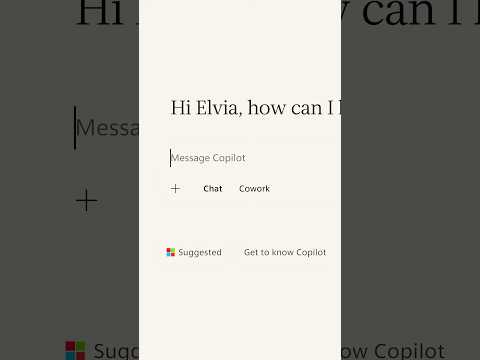
This video shows how Microsoft Copilot integrates directly into Word, allowing users to edit documents via chat for faster content creation.
Use Copilot to edit in Word: Step-by-step walkthrough
From Subvolts
Summary and analysis by Subvolts editorial, AI-assisted.
Microsoft Copilot now edits documents directly within Word, moving beyond suggestions to create and refine content. Users can chat with Copilot to describe desired changes, which the AI then implements on the page. This integration allows for real-time iteration without starting over, helping users turn ideas into tangible results faster.
You can now edit documents directly in Microsoft Word using Copilot. Instead of just suggesting changes, Copilot can directly modify your text based on your chat instructions. This makes revising documents faster and more interactive.
This video demonstrates Copilot's integration into Microsoft Word, enabling direct in-app editing. It shows how users can modify existing documents, add new elements, and summarize changes through conversational prompts. This feature targets consumers and professionals using Microsoft 365, offering a more seamless workflow than competitors that might require copy-pasting between applications or separate editing interfaces. Future developments will likely focus on expanding these in-app editing capabilities across more Microsoft applications and refining the AI's understanding of complex document structures.
- Product: Microsoft Copilot in Word
- Demonstrated Features: Editing venue details, adding fireworks package, summarizing changes, final review
- Account Requirement: Microsoft 365 Personal, Family, or Premium
- Availability: Requires Microsoft 365 account; work/school access depends on organization
Microsoft Copilot integrates editing directly into Word, offering a seamless workflow compared to competitors that may require separate editing interfaces or copy-pasting.



The Playbook: reusable how-tos, prompts, configs and tips pulled out of the news. Pulled from this item and others like it.
- ChecklistReview document for final polish using CopilotChecklist to review and polish a document using Copilot's error identification capabilities. · 10 min
- ToolMicrosoft Copilot for editing documents directly within WordAI assistant that creates, edits, and refines content within Microsoft Word. · 5 min
- WorkflowTurn ideas into tangible results faster with Copilot in WordWorkflow to move from an initial idea to a finished output using Copilot in Word. · 30 min
- HeuristicUse chat to describe changes for Copilot in ExcelDescribe desired spreadsheet changes in chat for Copilot to implement directly in Excel. · 5 min
Questions people ask
- What can Copilot do in Word?
- Copilot can edit existing documents, add new content like a fireworks package, adjust timelines, identify conflicts, and summarize changes. It allows users to create, edit, and refine content directly in the app through chat prompts.
- What Microsoft 365 accounts are required?
- Copilot in Microsoft 365 requires a Microsoft 365 Personal, Family, or Premium account. Work or school access depends on your organization's settings.
More from Microsoft 365 on YouTube 26 more



Page generated Oct 19, 2026. Summaries are Subvolts' own; the story belongs to Microsoft 365 on YouTube.